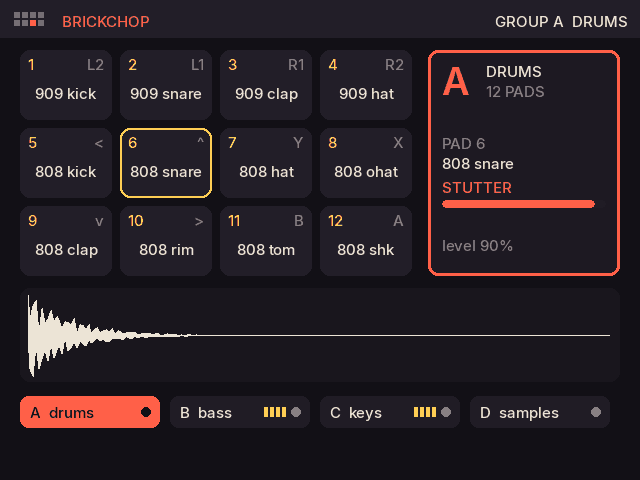
A K.O. II-style sampler for the Brick. Four groups of twelve pads, each pad its own sound. Chop a loop across them, play a sound in keys, punch in stutters and tape stops, record it all into patterns, then commit the lot into a new sample and chop that.
The Brick's twelve thumb and finger buttons are laid out like the K.O. II's keypad. Hold SELECT and press a direction to switch groups: A drums, B bass, C keys, D your samples. Each pad holds its own sound: a kit part, a synth note, any WAV, or a slice of one.
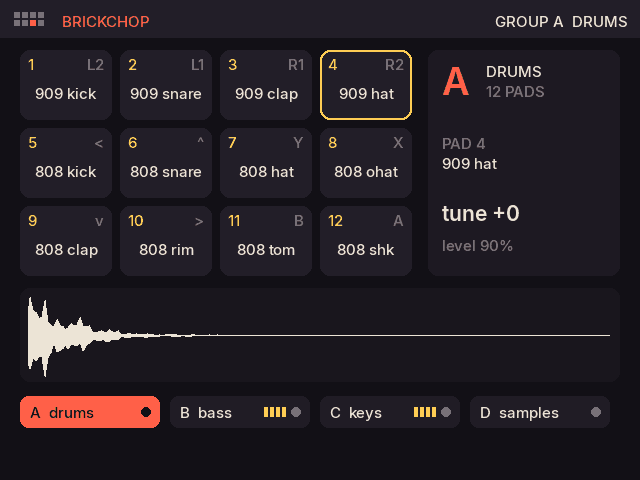
Pick a loop and it is cut at its hits across all twelve pads of a group.
Click the left stick: the last pad's sound plays chromatically across all twelve pads.
Left stick up and down tunes the last pad; left and right sets its level.
Push the right stick in a direction and the whole mix gets that effect until you let go; the further you push, the harder it hits. Stutter and beat repeat lock to the tempo.
| Push | Effect |
|---|---|
| Up | Stutter |
| Up-right | Beat repeat |
| Right | Filter sweep |
| Down-right | Bitcrush |
| Down | Tape stop |
| Down-left | Half speed |
| Left | Reverse |
| Up-left | Reverb throw |

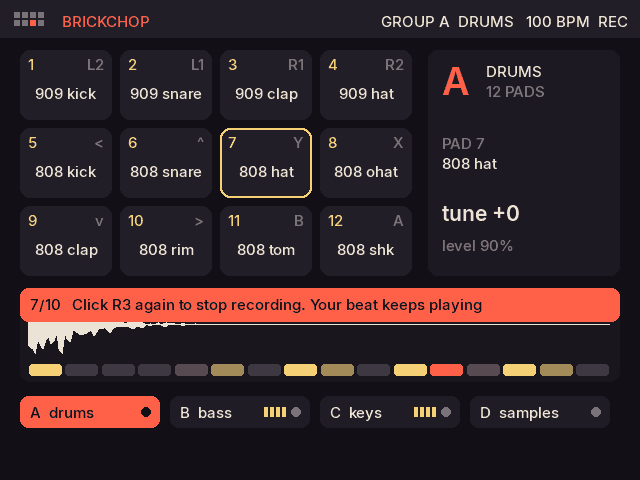
START plays; clicking the right stick records. Whatever you play lands on the nearest 16th of the group's pattern, and it loops, so you build a beat pass by pass, then switch to the bass group and record over it. Each group keeps its own pattern of one, two or four bars.
Hold R3 and tap a pad to take it out of the pattern.
Records every pattern, punch-ins included, into a new sound on group D. Chop it, play it in keys, record over it.
Eight slots save everything: pads, sounds, patterns, tempo and effects.

Brickchop sees the WAVs in its own samples folder and in Bricklab's, Brickchord's and Brickglide's.
A keyboard, an Orchid or an OP-Z plays the pads: C2 up is pads 1 to 12, and in keys any note plays at its pitch.
Where the Brick sees a USB audio input, Record captures it straight onto a pad. Still being tested on the Brick Pro.
| Button | What it does |
|---|---|
| 12 pads | L2 L1 R1 R2, < ^ Y X, v > B A |
| SELECT + < ^ v > | Group A, B, C or D. A quick tap of SELECT opens Settings |
| L3 | Keys: the last pad across all twelve, chromatically |
| Left stick | The fader: up and down tune, left and right level |
| Right stick | Punch-in FX, only while held |
| START | Play and stop every group's pattern |
| R3 | Record. Hold R3 and tap a pad to erase it |
brickchop-v0.6.0-knulli.zip for the TrimUI Brick and Brick Pro on KNULLI.brickchop folder, Brickchop.sh and images into roms/ports on the card.On another handheld: brick-family-r36-v0.6.0.zip for the R36S, R36Max and other ArkOS-family devices (all four apps, with its own install notes), or brickchop-v0.6.0-portmaster.zip for any firmware with PortMaster. Brickchop is tested on the Brick Pro; on the others it is new, so reports are welcome. No analog sticks? Two spare buttons stand in for them, as in the other Brick apps.
It shares its engine with Brickchord, Bricklab and Brickglide, and its samples with all three.